Ever left your shop keys in the door?
I nearly did once in Chelmsford. Only realised when I was halfway down the A12 – that proper stomach-drop moment.
That’s basically what website security is like for a lot of businesses. Only difference is, most people don’t even check the door. The site’s live, it seems fine and you assume nothing bad will happen.
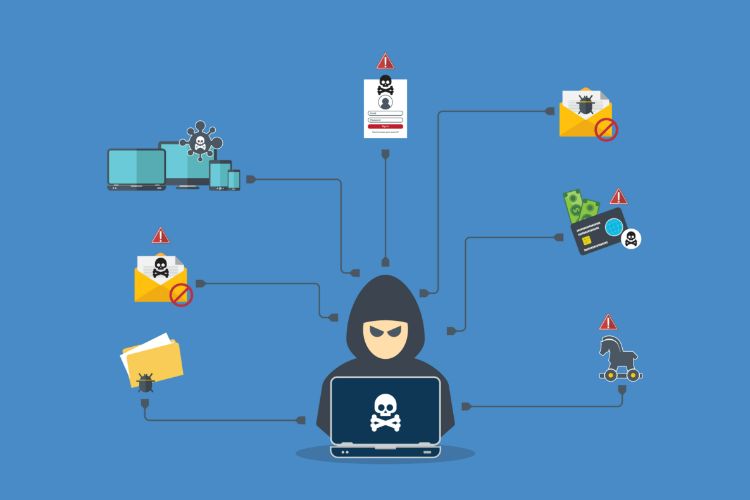
But if you’ve got a website, whether you’re trimming hair in Brentwood, selling cupcakes in Southend, or shipping garden sheds to half of Essex – someone (or something) will try the handle at some point. Not because you’re special. Because the internet is full of automated bots constantly looking for weak spots.
And they don’t need a reason.
Website security is the set of practical measures that protect a business website from hacking, malware and unauthorised access, helping to keep customer data safe, maintain trust and avoid sudden drops in search visibility.
"We’ll Fix it if it Happens" - Sure, Until it Happens

The risky bit with websites is that “fixing it” isn’t like swapping out a dodgy kettle. When something goes wrong online, it usually spreads.
A security issue can mean:
- Google flagging your site as unsafe with a big warning in search results
- Customer data being exposed, even if it’s just names or enquiry details
- Malware ending up on your site and affecting visitors
- Your website quietly disappearing from search until everything is cleaned up
I remember a cafe near Southend pier – great coffee, terrible parking. Their booking form got compromised one summer. They fixed it quickly, but the damage wasn’t technical. It was trust. Locals stopped booking online for months. People don’t always say why. They just quietly avoid the site.
And once trust is gone, it’s slow to come back.
Security Isn't Just For "Big Businesses"
A lot of owners assume hackers go after big national brands.
In reality, small business website security is often more important, because smaller sites are more likely to be:
- Out of date
- Running old or abandoned plugins
- Using weak or shared passwords
- Missing proper backups
- Left on a “set it and forget it” basis
Bots don’t care if you’re a national retailer or a dog groomer in Billericay. They crawl the web all day, scanning for common weaknesses. Find one and they’re in. No drama. No targeted attack. Just automation.
Why Maintenance Isn't Just "Annoying Updates"

When people hear “maintenance”, they think of pop-ups and updates that interrupt things.
But website maintenance is more like checking locks and alarms. It’s boring until the day it saves you.
Most WordPress security problems happen because something simple was ignored:
- WordPress core not updated
- A plugin that’s no longer maintained
- Admin accounts that shouldn’t exist
- A theme with known vulnerabilities
- Hosting settings left on default
The problem is you often don’t notice until the site is already affected. At that point, you’re not doing maintenance. You’re doing recovery.
And sometimes “recovery” means moving off an old setup entirely – we’ve done that before in this Drupal to WordPress Migration case study.
And recovery always costs more.
One That Hurt to Watch
There’s a small gift shop in Chelmsford that sells handmade items from local makers. Lovely place. Their website hadn’t been updated in ages.
One day, gambling ads everywhere. Pop-ups, redirects, the lot.
It took about two weeks to fully fix. Two weeks of lost online sales, plus the stress of not knowing what had been touched behind the scenes. The repair bill ended up around five times what a year of basic maintenance would have cost.
That’s the pattern you see again and again. Prevention feels optional until it suddenly isn’t.
What Website Security Actually Protects
Security isn’t just about stopping hacks. It protects parts of your business people don’t always associate with a website:
- Your reputation, especially locally
- Your enquiries, bookings and contact forms
- Your visibility in Google search results
- Your time and focus
- Your customers data, even basic contact details
Even a simple brochure site can be compromised and used for spam or redirects. If your site supports payments, bookings, or customer logins, the stakes are even higher.
How to Protect a Business Website (Without Getting Technical)

You don’t need to become an expert. You just need to remove the easiest entry points.
Use strong passwords and stop reusing them
It sounds obvious, but it’s still one of the most common causes of breaches.
Use a password manager if you can. Avoid predictable patterns. Don’t share one admin login with everyone. If someone leaves the business, remove their access.
Enable two-factor authentication (2FA)
This adds a second step after your password, usually a code or app approval.
Even if a password leaks, 2FA makes it much harder for someone to log in. It’s one of the biggest wins for very little effort.
Keep WordPress, themes and plugins updated
Updates aren’t just new features. They often patch security issues.
Do a plugin audit occasionally:
- Remove anything you don’t use
- Replace plugins that haven’t been updated in a long time
- Stick to reputable, actively maintained tools
Make sure SSL is active and working
Limit admin access
Not everyone needs full control.
Ideally:
- One or two admin accounts only
- Everyone else has limited permissions
- Old accounts are removed regularly
Fewer keys means fewer problems.
Use backups - and keep them off-site
Backups are your last line of defence, but only if they actually work.
They should:
- Run automatically
- Be stored off-site
- Be quick to restore
A backup you can’t restore is just a false sense of security.
What "Secure Enough" Looks Like For Most Essex Businesses
You don’t need military-grade protection for a small business site. You need consistent basics.
For most Essex businesses, “secure enough” means:
- Updates kept current
- Strong passwords with 2FA
- Off-site backups
- SSL active
- Minimal admin access
- Regular checks, not once a year
It’s not exciting. It’s just sensible.
Website Security FAQ
Can a small business website really get hacked?
Yes. Most attacks are automated and target common weaknesses like outdated plugins, weak passwords, or missing updates. Smaller sites are often easier targets.
How often should I update my website?
In most cases, updates should be checked weekly and applied regularly, especially for WordPress core, themes and plugins that include security fixes.
What’s the most important first step to protect a business website?
Enable two-factor authentication and make sure updates and backups are in place. Those two steps prevent many avoidable issues.
Website Security Checklist (Quick Version)
- Use strong passwords and enable two-factor authentication (2FA).
- Keep WordPress core, themes and plugins updated.
- Remove unused plugins and old user accounts.
- Make sure SSL is active and renewing correctly.
- Limit admin access to only essential users.
- Run automatic off-site backups you can restore quickly.
- Add basic monitoring for downtime and unusual activity.
Why it's worth it
Most businesses only take security seriously after a scare.
But the real value of good website security is simple. It prevents expensive distractions.
A web design Essex agency that offers maintenance isn’t selling a “nice-to-have”. They’re selling fewer disasters. And fewer disasters means fewer lost enquiries, fewer stressful weeks and fewer unexpected bills.
If your site’s been left alone for months, it might be fine. But that’s often just luck.
And luck has an expiry date.
If you want to see this thinking under pressure, take a look at our website security redesign case study – real constraints, real fixes. Prefer a local partner?
Our trusted web design agency in Essex is happy to talk through options. And if search is your next move, this no-nonsense guide to SEO for essex companies/businesses will help you focus on what actually works.